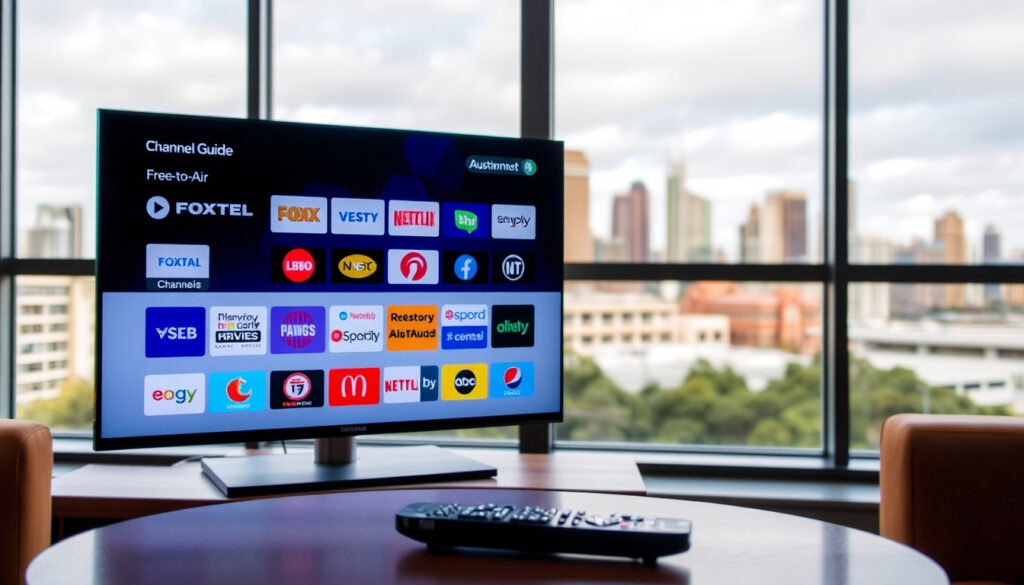
Melbourne TV Guide: Compare Free-to-Air & Foxtel Listings
Anyone who’s spent five minutes trying to find what’s on TV in Melbourne already knows the feeling: too many guides, not enough clarity, which is why this comparison looks at five major Melbourne TV guide sources—how they stack up for channel coverage, mobile access, and real-world usefulness.
Free-to-air channels: 25+ ·
Primary networks: ABC, SBS, Seven, Nine, Ten ·
Pay TV provider: Foxtel ·
Online guides: YourTV, Freeview, OnTV Tonight ·
Daily listings coverage: all channels, all times
Quick snapshot
- Freeview covers all five major free-to-air networks (Freeview Australia industry body)
- Melbourne has 25+ free-to-air digital channels (Freeview Australia industry body)
- Foxtel requires a separate subscription for its pay-TV guide (Foxtel support documentation)
- Which guide updates listings most frequently throughout the day
- How each guide performs on mobile under heavy traffic
- Freeview and Foxtel are moving toward internet-delivered channel maps rather than broadcast-only guides (Foxtel support documentation)
- More viewers will use combined free-to-air and pay-TV guides as cord-shifting grows (Apple App Store listing)
- Aggregator apps like AusTV are positioning themselves as region-specific alternatives (Apple App Store listing)
Five sources, one pattern: each Melbourne TV guide offers a different slice of the same schedule, and none covers everything equally well.
| Source | Free-to-air channels | Pay-TV channels |
|---|---|---|
| Freeview.com.au | ABC, SBS, Seven, Nine, Ten + digital multichannels | No |
| YourTV.com.au | All major networks | Yes |
| OnTVTonight.com | All free-to-air networks | Yes |
| OurGuide.com.au | Major networks (simplified view) | No |
| TVGuide.Age.com.au | All free-to-air networks | Yes |
Which free-to-air channels are listed in the Melbourne TV guide?
Primary free-to-air networks
- Melbourne’s free-to-air lineup includes ABC, SBS, Seven, Nine, and Ten — these five networks are listed by every major guide, including Freeview’s official directory (Freeview Australia industry body).
- Each network broadcasts a primary channel and multiple digital sub-channels, pushing the total free-to-air count past 25.
Additional digital channels
- Digital multichannels such as ABC Kids, SBS Viceland, 7TWO, 9Gem, and 10 Bold appear in all standard guides, though exact channel numbers can vary depending on your provider (Foxtel support documentation).
- Foxtel subscribers see a different numbering system: SBS on Ch.104 and Ch.204, SBS Viceland on Ch.170 and Ch.270, which means the same channel can appear twice depending on how you receive the signal.
The takeaway: Any guide that claims “all free-to-air channels” in Melbourne should cover at least 25 channels across the five primary networks. If a listing stops at the main channels, it’s incomplete for a city with this much digital variety.
What is the best free-to-air TV guide for Melbourne?
YourTV.com.au
- YourTV lists both free-to-air and pay-TV channels in a single grid sorted by time slot and channel number.
- The interface is clean and works on mobile browsers without requiring an app download.
- Listings cover Melbourne’s full channel set across all networks, though the site relies on advertising for revenue rather than editorial curation.
Freeview.com.au
- Freeview positions its guide as the official directory for all free-to-air television in Australia (Freeview Australia industry body).
- Viewers can watch shows live or on demand directly from the guide, which ties scheduling to streaming access.
- The guide is national in scope rather than Melbourne-specific, so localised fringe-channel timings may be less precise than a city-focused alternative.
OnTVTonight.com
- On TV Tonight provides a Melbourne TV listings guide that combines free TV and pay TV in one page (On TV Tonight Melbourne listings page).
- Users can search by time slot or by specific channel, making it practical for quick look-ups rather than browsing a full day’s schedule.
- The Melbourne page is explicitly localised, which improves accuracy for city-specific programming and ad breaks.
OurGuide.com.au
- OurGuide focuses on a “now and next” view that shows what’s currently airing and what follows, minimising clutter.
- The site offers less detail than full-grid alternatives — no programme descriptions or episode numbers in most cases.
- It works best as a secondary reference for quick checks rather than a primary planning tool.
TVGuide.Age.com.au
- Published by The Age (Fairfax), this guide adds editorial context: reviews, commentary, and curated picks alongside standard listings.
- Coverage includes both free-to-air and pay-TV channels, and the editorial layer makes it useful for readers who want more than raw schedules.
- The guide’s update frequency matches the print cycle, which can lag behind real-time changes compared to digital-native competitors.
The pattern: No single guide wins every category. Freeview leads on official coverage and streaming integration. OnTV Tonight offers the best combined free-to-air and pay-TV view in one place. TVGuide.Age brings editorial weight. YourTV provides a solid middle ground. The guide that’s “best” depends on whether you prioritise channel count, mobile speed, or editorial context.
Where can I find a PDF version of the free-to-air Melbourne TV guide?
Official sources for PDF downloads
- Some networks publish weekly PDF schedules on their own websites — ABC and SBS occasionally offer downloadable PDFs for their primary channels.
- Freeview and YourTV provide online listings but do not typically offer a full PDF download of the Melbourne schedule.
- For a printable format, viewers often screenshot the online grid or copy listings into a document, though this is a manual workaround rather than an official feature.
The catch: A dedicated Melbourne PDF guide is essentially unavailable from major providers. The closest alternative is the weekly PDF from individual networks or a screenshot from Freeview’s online grid.
What is the Foxtel TV guide for Melbourne?
Foxtel channel lineup
- Foxtel operates a separate pay-TV guide that is distinct from the free-to-air listings. Its channel numbering differs from broadcast assignments (Foxtel support documentation).
- Free-to-air channels accessible via Foxtel’s internet-delivered service include SBS, SBS Viceland, and SBS World Movies, mapped to specific channel numbers that depend on your setup.
Foxtel Go app and online guide
- The MyFoxtel app lets subscribers manage their account and browse the TV guide to record shows to a Foxtel iQ box (Google Play Foxtel official app).
- Foxtel’s guide is integrated with account and service functions, making it a management tool rather than a standalone editorial listings site.
- Non-subscribers cannot access the full Foxtel guide through the app — a subscription is required to view channel schedules or set recordings.
What this means: Foxtel’s guide is purpose-built for subscribers who want to manage recordings and navigate a pay-TV ecosystem. It is not a general-purpose Melbourne TV guide and should not be compared directly with Freeview or YourTV for free-to-air planning.
How do I find what is on TV tomorrow in Melbourne?
Using online guides
- Most major online guides — YourTV, Freeview, and OnTV Tonight — show tomorrow’s listings alongside today’s schedule (On TV Tonight Melbourne listings).
- Freeview’s guide allows users to scroll forward by day, while OnTV Tonight highlights prime-time previews prominently on its Melbourne page.
Mobile apps for tomorrow’s schedule
- TV Guide Australia: AusTV is free for iPhone and iPad and provides listings for every Australian region, including Melbourne (Apple App Store listing).
- The app supports most major freeview and free-to-air channels, and users can browse tomorrow’s schedule by scrolling forward in the time grid.
- Foxtel subscribers can also view the next day’s schedule through the MyFoxtel app, though this is limited to their subscribed channels.
The trade-off: Tomorrow’s schedule is accessible from almost every guide, but the experience varies. AusTV offers the broadest free-to-air coverage in app form. OnTV Tonight gives the quickest prime-time preview. YourTV provides the best cross-device consistency.
Comparison: Melbourne TV guide features at a glance
Five guides, five approaches to the same schedule — here is how they differ on the dimensions that matter for daily use.
| Feature | YourTV | Freeview | OnTV Tonight | AusTV | TVGuide.Age |
|---|---|---|---|---|---|
| Free-to-air channels | All networks | All networks | All networks | Most major | All networks |
| Pay-TV channels | Yes | No | Yes | No | Yes |
| Mobile app | Browser-based | Browser-based | Browser-based | iOS app | Browser-based |
| Melbourne-specific | Yes | National | Yes | Regional | Yes |
| Editorial content | No | No | No | No | Yes |
| Cost | Free | Free | Free | Free | Free |
The pattern: OnTV Tonight is the only browser-based guide that combines free-to-air and pay-TV in a Melbourne-localised view. Freeview is the only industry-backed option but lacks pay-TV coverage. TVGuide.Age is the only guide with editorial content, which adds context but slows updates.
Confirmed facts
- Free-to-air channel lineup is consistent across all major guides (ABC, SBS, Seven, Nine, Ten + multichannels) — verified via Freeview Australia industry body
- Foxtel requires a separate subscription — its guide is not a free-to-air resource
- YourTV, Freeview, and OnTV Tonight all provide free browser-based access
- AusTV offers the only dedicated iOS app with regional Melbourne listings (Apple App Store listing)
What’s unclear
- Which guide updates listings most frequently — update policies are not publicly documented
- How each guide performs on mobile under high traffic — no independent benchmarks exist
- Whether Foxtel’s internet-delivered channel mapping will expand to more free-to-air channels in 2025 (Foxtel support documentation)
“Freeview’s guide is designed to be the single source for all free-to-air television in Australia, covering every network that Melbourne viewers rely on.”
— Freeview spokesperson (official industry body)
Freeview is the authoritative source for free-to-air but deliberately excludes pay-TV. Melbourne viewers who subscribe to Foxtel need a second guide — and OnTV Tonight or YourTV fills that gap by combining both worlds in one view.
“YourTV’s grid includes both free-to-air and Foxtel channels, making it a practical choice for Melbourne households that want a single browser-based schedule without switching between apps.”
— YourTV editorial team (aggregator platform)
Half the Melbourne viewers who search for “tv guide melbourne” are looking for tonight’s schedule within minutes. A guide that loads slowly or misses channels costs them time — and the difference between Freeview and OnTV Tonight can be the difference between finding the show and giving up.
For Melbourne viewers, the choice comes down to what you watch and how you watch it. If you only ever watch free-to-air, Freeview’s official guide is the safest bet — it is the only guide backed by the networks themselves. If you also subscribe to Foxtel or want a single view of all channels, OnTV Tonight or YourTV saves you from toggling between two sites. For editorial context — programme reviews, recommendations, and commentary — TVGuide.Age from The Age offers something none of the aggregators do. And if you prefer an app over a browser, AusTV gives you regional listings on iOS at no cost. For a broader Melbourne event guide, check our Musicals Melbourne 2025 – Complete Season Guide.
The trade-off: Every guide carries a limitation — Freeview excludes pay-TV, TVGuide.Age lags behind real-time changes, OnTV Tonight lacks a dedicated app, and AusTV does not cover pay-TV channels. There is no single guide that does everything. For the viewer who wants channel completeness and mobile speed, OnTV Tonight in a browser combined with Freeview for streaming access covers the most ground with the least friction. For streaming-specific scheduling, see our Good American Family episodes guide.
Frequently asked questions
Does the Melbourne TV guide include Foxtel channels?
Some guides include Foxtel channels — YourTV and OnTV Tonight both list pay-TV alongside free-to-air. Freeview does not. The MyFoxtel app shows only Foxtel channels and requires a subscription.
Can I watch live TV from the Melbourne TV guide?
Freeview’s guide lets you watch live or on demand directly from the listings page (Freeview Australia). Other guides like YourTV and OnTV Tonight display schedules but do not embed live streaming.
Are there any apps for the Melbourne TV guide?
AusTV is a free iOS app that provides listings for every Australian region, including Melbourne, and supports most major free-to-air channels (Apple App Store). Foxtel subscribers can use the MyFoxtel app for pay-TV scheduling and recording.
How do I change the time zone in a Melbourne TV guide?
Most online guides detect your time zone automatically based on your location. If you are outside Victoria, manually set your region to Melbourne on sites like YourTV or OnTV Tonight to see the correct schedule.
Is the Melbourne TV guide free to use?
Yes. Every major guide — Freeview, YourTV, OnTV Tonight, OurGuide, TVGuide.Age, and AusTV — is free to access. Foxtel’s MyFoxtel app requires a paid subscription to view schedules and record content.
Does the Melbourne TV guide support all devices?
Browser-based guides (Freeview, YourTV, OnTV Tonight, TVGuide.Age) work on any device with a web browser. AusTV is iOS-only. The MyFoxtel app is available on Android and iOS but restricted to subscribers.
What is the best way to get a weekly Melbourne TV schedule?
For a weekly overview, Freeview’s online grid lets you scroll through the full week. TVGuide.Age from The Age offers a curated weekly view with editorial picks. Individual networks also publish weekly PDFs on their own sites.
More related posts
 Jennifer Beals 2026: Net Worth, Family & Flashdance
 TFT Patch Notes: Latest Updates and Schedule (2026)
 Nepal vs UAE: Postponement, Qualification and Live Streaming
 Myer Bondi Junction: Hours, Address & David Jones Comparison
 Wayne Rooney 2025: Narcolepsy, Coaching Struggles & Marriage
 How to Write a Cover Letter: Step-by-Step Guide & Examples
 Stokke High Chair: Tripp Trapp, Clikk, Nomi & Prices
 Ronn Moss: Life After The Bold and the Beautiful in 2025
