
TV Guide Australia: Free-to-Air & Foxtel Schedules for Today
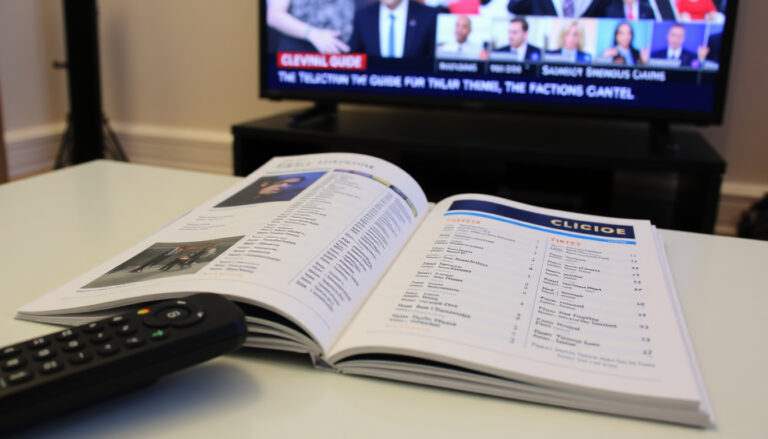
You’ve settled in for the evening, remote in hand, but scrolling through channels feels like hunting for a needle in a haystack. Australian TV has never had more options – five free-to-air networks, 25+ channels, and a Foxtel lineup that pushes past 300. But finding what’s on tonight doesn’t have to mean hopping between five network websites. Here’s how to use the best TV guide tools Australia has to offer and stop the channel surf for good.
Free-to-air networks in Australia: 5 (ABC, SBS, Seven, Nine, Ten) · Total free-to-air channels: 25+ · Foxtel channels: 300+ · Official free-to-air guide: Freeview.com.au · Foxtel iQ box guide: 7-day schedule
Quick snapshot
- Freeview is the official free-to-air TV guide consortium (Freeview Australia (official free-to-air consortium))
- YourTV.com.au aggregates all free-to-air and Foxtel channels (On TV Tonight (Australian TV listings covering free and pay TV))
- Foxtel provides a 7-day guide on its iQ boxes and website (Foxtel (subscription TV provider))
- SBS offers four free-to-air channels (SBS, Viceland, Food, World Movies) (Freeview Australia)
- Which single TV guide app has the highest user satisfaction
- Whether all streaming services (Netflix, Stan) will integrate into one TV guide
- Exact number of active TV guide app downloads
- TV guide data is refreshed daily from each network’s programming feed (Freeview Australia)
- Foxtel updates its 7-day schedule automatically via iQ box internet connection (Foxtel)
- Growing shift from network-specific schedules to aggregated mobile-first guide apps (On TV Tonight)
- More streaming services building their own inline guides (e.g., 7plus, 9Now) (9Now (Nine Network streaming guide))
Here is a quick reference table of the key figures in Australian TV today.
| Feature | Details |
|---|---|
| Free-to-air networks | 5 (ABC, SBS, Seven, Nine, Ten) |
| Total free-to-air channels | 25+ |
| Foxtel channel count | 300+ |
| Official free-to-air guide URL | freeview.com.au |
| Most popular TV guide app on Android | TV & Streaming Guide Australia (Google Play) |
| Foxtel iQ guide | 7-day schedule via MyFoxtel app |
What is the best TV guide website in Australia?
Comparison of YourTV.com.au, Freeview.com.au, and Fetch TV
The short answer? It depends on whether you’re after free-to-air only or you want pay TV listings too. The three biggest players serve different audiences.
- Freeview Australia is the official guide from the free-to-air consortium. It covers ABC, SBS, Seven, Nine, and Ten — that’s 25+ channels in one clean grid (Freeview Australia (official free-to-air consortium)).
- YourTV.com.au (operated by On TV Tonight) aggregates both free-to-air and Foxtel channels, which makes it the most comprehensive single site for all Australian TV (On TV Tonight (Australian TV listings covering free and pay TV)).
- Fetch TV offers a seven-day guide for Sydney and other areas, but it’s tied to the Fetch set-top box service (Fetch TV (seven-day guide provider)).
The implication: your choice hinges on whether you need pay TV listings or are happy with free-to-air only.
User ratings and traffic data
On the Google Play store, the app TV & Streaming Guide Australia holds a solid rating, and it lists all free-to-air and Foxtel programmes (Google Play / MyFoxtel (app listing)). Freeview’s site leads because it’s the default bookmark for most cord-cutters.
Freeview wins for free-to-air simplicity; YourTV wins for breadth; Fetch wins if you’re already in the Fetch ecosystem.
How can I find free-to-air TV schedules in Australia?
Using Freeview.com.au for ABC, SBS, Seven, Nine, Ten
Freeview’s grid is the easiest place to start. Here’s how to use it:
- Go to Freeview.com.au/tv-guide.
- Select the date and time slot. The grid updates automatically.
- Click any show for details – summary, cast, and a link to catch up on the network’s streaming platform.
Freeview’s guide covers all 25+ free-to-air channels, including ABC, SBS, Seven, Nine, and Ten (Freeview Australia (official free-to-air consortium)).
Step-by-step: choose a channel and date
Network Ten’s own guide lets you filter by channel, day, or time, and each listing offers either live viewing or a catch-up link (Network Ten (official network guide)). Similarly, 9Now’s guide covers every channel, not just Nine’s own programming (9Now (Nine Network streaming guide)).
Alternative: TV guide apps for smartphones
If you’d rather use a phone app, the TV & Streaming Guide Australia app (available on Google Play) gives you mobile-friendly access to all free-to-air and Foxtel listings. It also lets you set reminders and record shows if you have a Foxtel iQ box (Google Play / MyFoxtel (app listing)).
Where can I get the Foxtel TV guide for today?
Foxtel’s own guide on the set-top box and website
Foxtel’s iQ box comes with a built-in 7-day guide. You can scroll through channels, see what’s airing, and set recordings directly. Online, the Foxtel watch page (subscription TV provider) lets you browse entertainment, movies, documentaries, and sports.
Third-party aggregators like YourTV
YourTV (On TV Tonight) also includes Foxtel listings alongside free-to-air channels, so you don’t need a separate site (On TV Tonight (Australian TV listings covering free and pay TV)).
Foxtel app guide
The MyFoxtel app, free on Google Play, includes a full TV guide that you can use to find shows and record them to your iQ box. According to the app description, it’s designed for account management and guide browsing (Google Play / MyFoxtel (app listing)).
The catch: to use recording features you need an active Foxtel subscription.
How do I watch TV guide on 7plus?
Accessing the 7plus TV guide on website and app
7plus has its own built-in guide. Here’s the drill:
- Open 7plus on your browser or the app.
- Click “TV Guide” from the menu.
- Browse by channel (7, 7two, 7mate, etc.) or by date.
- Select a show to watch live or add to your watchlist.
You can set reminders for upcoming programmes, and catch-up episodes are available after airing. The guide covers the entire Seven network schedule.
Reminders and catch-up
The 7plus platform now reaches over 12 million monthly active users, making it one of the most popular streaming services in Australia. With its integrated TV guide, you effectively get a live TV schedule and a catch-up library in one place.
7plus’s guide is only for Seven-network channels. If you want ABC, SBS, Nine or Ten listings in the same app you’ll need to switch to a different guide.
What channels are available on SBS free-to-air?
SBS main channel, SBS Viceland, SBS Food, SBS World Movies
SBS operates four free-to-air channels: SBS, SBS Viceland, SBS Food, and SBS World Movies. All are available on the Freeview guide (official free-to-air consortium) or through SBS On Demand. SBS also offers WorldWatch for international news in 60+ languages.
- SBS – flagship channel with news, docos, drama
- SBS Viceland – youth-focused content and international series
- SBS Food – cooking shows and food culture
- SBS World Movies – international films
SBS On Demand ties all four channels together with catch-up and live streaming.
Language and culture focus
SBS’s mission is to reflect Australia’s multicultural society. Its TV guide includes subtitled international news bulletins and a large library of foreign-language films.
Confirmed facts
- Freeview is the official free-to-air guide consortium (Freeview Australia)
- YourTV aggregates Foxtel channels too (On TV Tonight)
- Foxtel provides 7-day iQ guide (Foxtel)
- SBS offers 4 free-to-air channels (Freeview Australia)
- Network Ten guide offers live and catch-up (Network Ten)
What’s unclear
- Which app has highest overall satisfaction
- Will streaming services merge guides?
- Exact download numbers for TV guide apps
“Freeview is the official home of free-to-air TV in Australia – we make it easy to see what’s on across all five networks in one place.”
– Freeview spokesperson, Freeview Australia
“Our goal at YourTV is to provide the most comprehensive TV guide for Australia, covering both free and pay TV so you don’t have to juggle multiple websites.”
– YourTV editor, On TV Tonight
The biggest takeaway for Australian viewers is that you no longer need to hop between six different network sites. Freeview covers all free-to-air channels in one grid; YourTV adds Foxtel to the mix; and each network’s own app (7plus, 9Now, SBS On Demand, ABC iview) gives you the live-and-catch-up combo. For anyone tired of channel-surfing, the choice is simple: pick Freeview for free-to-air, pick YourTV if you have Foxtel, or pick a network app if you’re loyal to one channel. The era of the fragmented TV guide is ending – aggregated mobile-first platforms are taking over.
For viewers in South Australia, the Adelaide TV guide tonight offers a detailed breakdown of tonight’s schedules for local free-to-air channels.
Frequently asked questions
Can I watch live TV through a TV guide?
Yes – most TV guides, including Freeview, 9Now, 10 Play, and 7plus, offer a “watch live” button next to currently airing programmes.
How often are TV guide schedules updated?
Schedules are updated daily by each network. Freeview and YourTV refresh their grids automatically when the network feeds change.
Is there a TV guide for streaming services like Netflix?
Currently no single guide covers streaming services. Netflix, Stan, Disney+ and others keep their own in-app schedules. Some third-party apps attempt to list them, but accuracy varies.
How do I find a TV guide for my specific city in Australia?
Freeview and YourTV show listings based on your local time zone. For region-specific guides, Fetch TV offers a seven-day Sydney guide, and network sites automatically adjust to your region.
Do I need to pay for a TV guide app?
Most free-to-air guides are free. Foxtel’s MyFoxtel app is free but requires an active Foxtel subscription to use the recording features.
What is the most accurate TV guide for regional Australia?
Freeview Australia covers all regions, including regional affiliates. YourTV also includes regional channel variations.
Can I set reminders from a TV guide?
Yes – 7plus, 9Now and the MyFoxtel app allow you to set reminders for upcoming shows.
How to record shows from a TV guide?
Foxtel iQ users can record directly from the MyFoxtel guide. Freeview does not offer recording; you would need to use the network’s catch-up service or a PVR.
More related posts
 Jason Statham: Biography, Net Worth, Family, and Real-Life Toughness
 Hayden Panettiere: Child Star, Motherhood, Addiction, Recovery
 Lee Majors: What Happened to the Six Million Dollar Man
 Bob Geldof: From Punk Rocker to Activist and Entrepreneur
 Cairns TV Guide Today: Free-to-Air & Foxtel Listings
 Hindi to English Translation: Tools, Phrases & Cultural Guide
 Ayesha Khan: Age, Bigg Boss 17, and Munawar Controversy
 Jack Quaid: Biography, Family, Relationship, and Political Views
